Stem Studio
On-device AI stem separation for Mac. No cloud, no subscription, no limits.
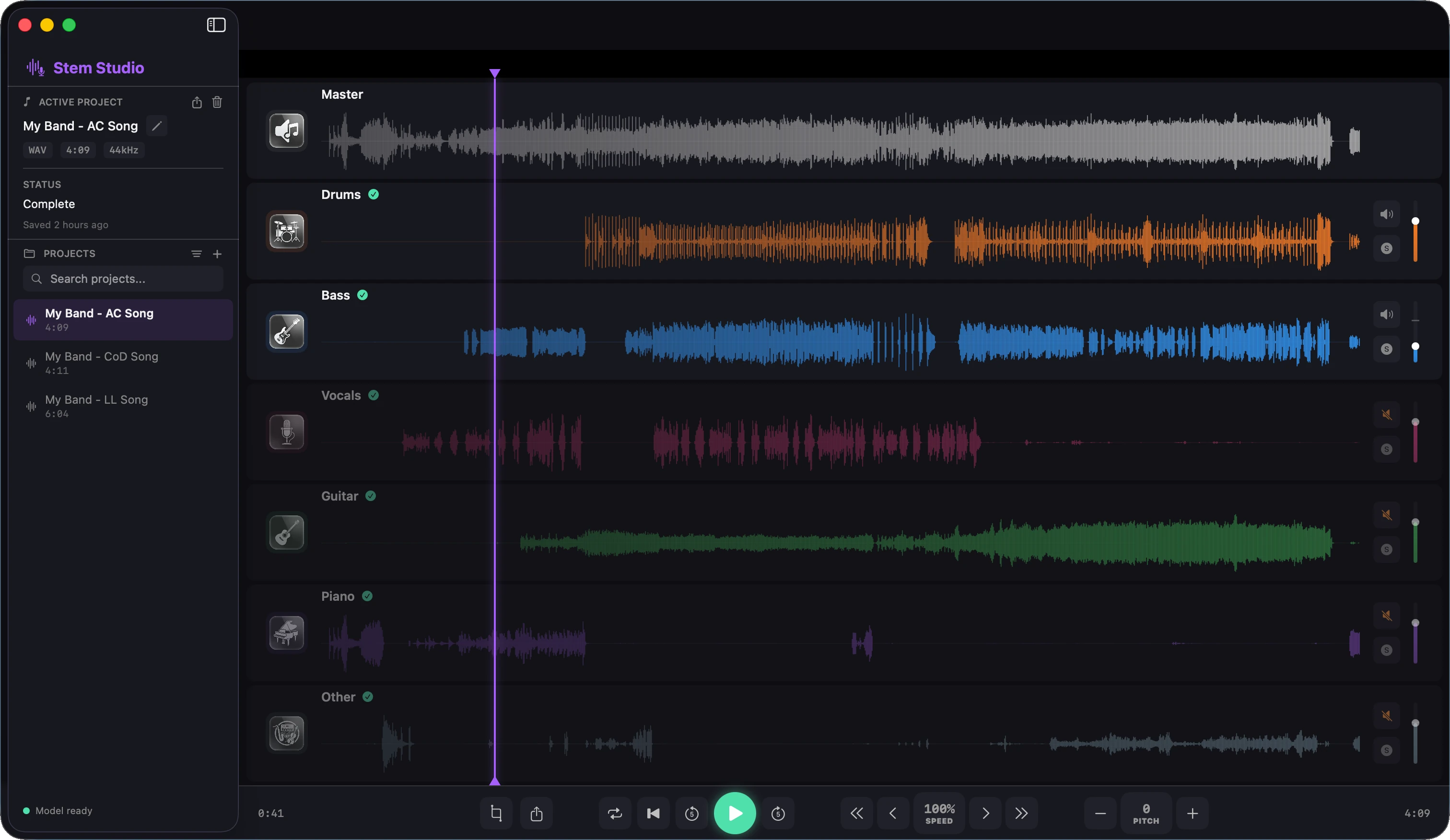
On-device AI stem separation for Mac. No cloud, no subscription, no limits.
Drop any audio file and let the on-device AI model break it down into its individual musical components — all processed privately on your Mac.
Powered by HTDemucs v4, Stem Studio isolates Vocals, Drums, Bass, Guitar, Piano and an Other track with professional-grade accuracy.
All AI inference runs locally using Apple's Neural Engine. Your audio never leaves your Mac — no internet connection required after installation.
Built with Core ML and Metal acceleration. A 3-minute song is separated in roughly 60–90 seconds on an M2 chip.
Organise your work in named projects. Each project stores the original file, all separated stems and export history so you can pick up where you left off.
Preview every stem in isolation directly inside the app. Solo the guitar, mute the drums, or loop any section to check the separation quality before exporting.
Export each stem as a high-quality WAV file to any folder on your disk. Full-resolution audio — ready for your DAW of choice.
Three steps from song to stems.
Drag an MP3, WAV, AIFF or AAC file onto Stem Studio or pick one from the menu. The file is loaded instantly.
The HTDemucs model runs on your Neural Engine. A progress indicator shows you which stems are being extracted in real time.
Listen to each stem in the built-in player, then export them all as individual WAV files in one click.
Stem Studio is a native Mac app built with SwiftUI. macOS 14 Sonoma is the minimum supported version.
M1, M2 or later chips deliver the fastest separation times via the Neural Engine. Intel Macs are also supported but will be slower.
Once installed, Stem Studio works entirely offline. Your audio files stay on your device at all times.
Stem Studio does not collect any data. No analytics, no crash reporting, no user accounts. Everything happens on your Mac.
Read the full Privacy PolicyNeed help getting started or want to learn about all the features?
Open the User Guide